

Free Employee Attendance Sheet Templates
Download ready-to-use attendance sheet templates for Excel, Google Sheets, Word & PDF. Track daily, weekly, monthly and annual employee attendance with ease.
Choose Your Attendance Sheet Template
Pick the format that fits your workplace. All templates are free to download in Excel, Google Sheets, Word and PDF.
What Is an Employee Attendance Sheet?
An employee attendance sheet is a document used to record whether employees are present, absent, late or on leave for each working day. Unlike timesheets that track specific hours worked, attendance sheets focus on daily status and are essential for workforce management.
Attendance sheets help businesses maintain accurate records for payroll, comply with labor regulations and identify patterns like chronic absenteeism or tardiness before they become bigger problems.
Common use cases include:
Recording daily attendance and punctuality
Tracking absences, sick days and leave balances
Calculating attendance rates for performance reviews
Meeting labor law record-keeping requirements
Monitoring shift coverage and scheduling gaps
What to Include in an Attendance Sheet
A well-designed attendance sheet captures everything you need for accurate records and compliance.
-
Employee name and ID - identify each team member clearly
-
Date and day of week - track attendance for each specific day
-
Status (Present / Absent / Late / Leave) - record daily attendance status at a glance
-
Clock-in and clock-out times - capture exact arrival and departure
-
Break duration - record time taken for breaks during the day
-
Leave type (Sick / Vacation / Personal) - categorize absences for accurate tracking
-
Supervisor signature or approval - verify records with manager sign-off
-
Notes or remarks - add context for late arrivals, early departures or exceptions
How to Use Our Free Attendance Sheet Templates
Get started in three simple steps.
Download
Choose your preferred format - Excel, Google Sheets, Word or printable PDF. Click download and the file is yours.
Customize
Add your company name, department details and employee list. Adjust columns and status codes to match your attendance policy.
Track
Record attendance daily, review patterns weekly and generate summaries for payroll and compliance. It's that simple.
Why Upgrade from Spreadsheet Attendance Tracking?
Spreadsheets work for a while, but they don't scale. Here's why teams switch to Log My Hours.
Spreadsheet Pain Points
-
Buddy punching - no way to verify who actually signed in
-
Lost files - paper sheets get misplaced, spreadsheets get overwritten
-
No real-time visibility - you only know who's absent after the fact
-
Manual errors - typos and missed entries lead to inaccurate records
-
No audit trail - impossible to track who changed what and when
Log My Hours Benefits
-
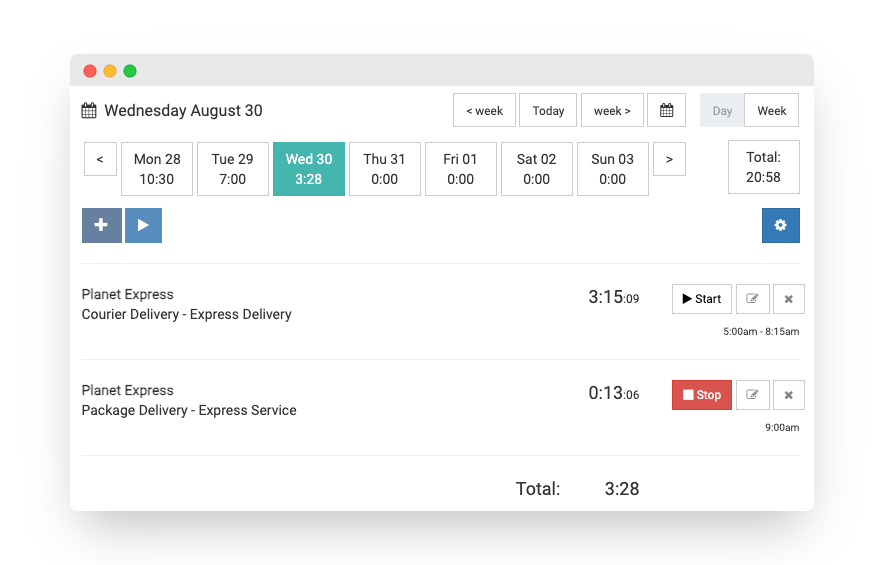
Automatic logging - clock-in and clock-out with one click, no manual entry
-
Real-time dashboard - see who's working right now at a glance
-
Approval workflows - managers review and approve attendance records
-
Instant reports - generate attendance reports by employee, team or date range
-
Secure audit trail - every change is logged and traceable
Free 30-day trial. No credit card required.
Frequently Asked Questions
Are these attendance sheet templates really free?
Yes, all of our attendance sheet templates are completely free. No signup or email required - just download and start using them immediately.
What formats are the attendance sheets available in?
Each template is available in Excel (.xlsx), Google Sheets, Word (.docx) and PDF formats. Choose the one that best fits your workflow.
Can I customize the templates for my company?
Yes, all fields are fully editable. You can add your company logo, department names, adjust columns and tailor the layout to match your organization's attendance policies.
What is the difference between an attendance sheet and a timesheet?
An attendance sheet tracks whether employees are present, absent, late or on leave each day. A timesheet records the specific hours worked, often for payroll or client billing. Attendance sheets focus on status while timesheets focus on duration.
How long should I keep employee attendance records?
Most labor laws require employers to keep attendance and payroll records for at least 3 years. Some industries and jurisdictions require longer retention periods. Check your local regulations to be sure.
Is Log My Hours better than using a spreadsheet for attendance?
Log My Hours automates attendance tracking with real-time clock-in and clock-out, automatic reports, approval workflows and a secure audit trail - eliminating the manual errors and lost files common with spreadsheets. Start your free trial.