

Free Timesheet Templates
Download ready-to-use timesheet templates for Excel, Google Sheets, Word & PDF. Weekly, monthly and daily formats for employees, freelancers and teams.
100% Free
No Signup Required
Choose Your Timesheet Template
Pick the format that fits your workflow. All templates are free to download in Excel, Google Sheets, Word and PDF.
What is a Timesheet?
A timesheet is a document used to track the number of hours an employee or contractor has worked over a given period. Timesheets are essential for accurate payroll processing, client billing and project cost management.
Whether you need a simple weekly timesheet for hourly employees, a detailed daily time log for contractors, or a project-based template for tracking billable hours, timesheets help businesses stay organized and ensure everyone gets paid correctly.
Common use cases include:
Calculating payroll and overtime
Billing clients for work hours
Tracking time spent on projects and tasks
Meeting labor law record-keeping requirements
How to Use Our Free Timesheet Templates
Get started in three simple steps.
Download
Choose your preferred format — Excel, Google Sheets, Word or printable PDF. Click download and the file is yours.
Customize
Add your company name, employee details and pay period. Adjust columns to match your workflow.
Track
Fill in hours daily or weekly, calculate totals and submit for approval. It's that simple.
Why Upgrade from Spreadsheet Timesheets?
Spreadsheets work for a while, but they don't scale. Here's why teams switch to Log My Hours.
Spreadsheet Pain Points
-
Manual errors — typos and broken formulas lead to incorrect pay
-
No real-time tracking — hours are entered from memory, often inaccurately
-
No approval workflow — managers can't review or approve timesheets easily
-
Hard to report — generating reports across employees and projects takes hours
-
Version chaos — multiple copies, email attachments and lost files
Log My Hours Benefits
-
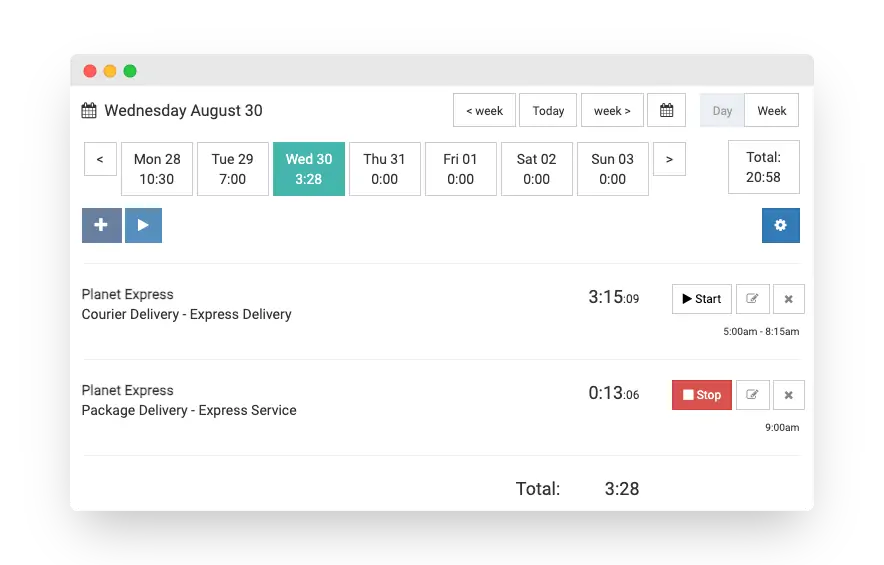
Automatic time tracking — one-click timers or manual entry, your choice
-
One-click reports — instant reports by employee, project, client or date range
-
Team management — invite employees, set permissions and approve timesheets
-
Built-in invoicing — turn tracked hours into professional invoices
-
Works everywhere — web, iOS, Android and Chrome extension
Free 30-day trial. No credit card required.
Frequently Asked Questions
Are these timesheet templates really free?
Yes, all of our timesheet templates are completely free. No signup or email required — just download and start using them immediately.
What formats are available?
Each template is available in Excel (.xlsx), Google Sheets, Word (.docx) and PDF formats. Choose the one that best fits your workflow.
Can I customize the templates?
Yes, all fields are fully editable. You can add your company logo, employee name, adjust columns and tailor the layout to fit your needs.
What's the difference between a timesheet template and time tracking software?
Timesheet templates are manual spreadsheets where you enter hours by hand. Time tracking software like Log My Hours automates the process with timers, automatic calculations, reporting and approval workflows.
How does Log My Hours compare to spreadsheet timesheets?
Log My Hours automates everything that spreadsheets can't — one-click timers, automatic reports, invoicing, team management and approval workflows. No more manual data entry or formula errors.
Is Log My Hours free?
Log My Hours offers a free 30-day trial with full access to all features, plus a free Solo plan for individual users. Start your free trial.